Lyric video maker: words that land when they're sung.
Free: full-quality preview on your song · Unlimited $29 a month: the video file · Updated 3 October 2026

Lyric video maker, no AI footage
Models listen. A 3D engine draws.
People search for a lyric video maker with no AI because they've seen generated clips that look like everyone else's. Here is exactly where a model is involved, and where none is.
| Step | What does it | A model? |
|---|---|---|
| Split the song | Demucs separates six stems: drums, bass, vocals, guitar, piano and the rest. Drums split further into kick, snare and hi-hat hits. | Yes, it listens |
| Beats and sections | Beats, bars and sections (intro, verse, chorus, breakdown, bridge, outro) from the audio. | Yes, it listens |
| Time your words | Your pasted lyrics are aligned to the vocal stem, word by word. | Yes, it listens |
| Write the words down | Optional. A speech model drafts the lyrics if you don't paste them. | Yes, it listens |
| Draw the picture | A 3D engine (three.js) draws each frame from the timings and the stems. Same settings, same file. | No. Nothing is generated |
So the honest answer to "no AI" is this: models listen, and no image is generated. They hear the song; they don't paint it. There are no prompts, no generated faces and no scenes that change each time you render.
What you see is type. Signed-distance glyphs stay crisp at 4K, in faces like Anton, Permanent Marker, Oswald, Cinzel, VT323 or your own title font. The motion comes from your song's stems, which is why the kick lands on the word and not near it.
What moves the words.
Each part of the song has its own job in the Lyric Video template. It holds in all 12 styles; the styles change how it looks.
| From the song | In the picture |
|---|---|
| The lyrics | Each word lands on its own sung time. Chorus lines switch to a different layout. |
| Kick | Punches the word being sung and nudges the camera. In some styles it also throws embers, chalk dust or a page flutter. |
| Vocals | The sung word swells and lights up. The pitch lifts it. |
| Snare | Flashes the line's glow. |
| Hi-hats | Light the dust in the air. |
| Bass | The backdrop breathes. |
| Melody | Sets how fast the backdrop flows. |
| Sections | The chorus goes bigger. A new section changes the backdrop's speed, level and glow. |
| The drop | Flashes, pushes in and bursts the words. |
| Gaps | With no words on screen, the waveform takes the middle. Gaps of 3.2 s or more show your title and name. |
This is what separates it from captions laid over a background. A caption tool shows the line; here the kick and the vocal move the very word they belong to. For how the stems are found, read the audio-reactive visualizer explainer.
12 styles of kinetic typography.
Five layout families (Line, Pop, Stack, Flight, Label) and five entrances (Rise, Pop, Blur in, Type, Flicker), mixed into a dozen looks. Every clip here is a real export.
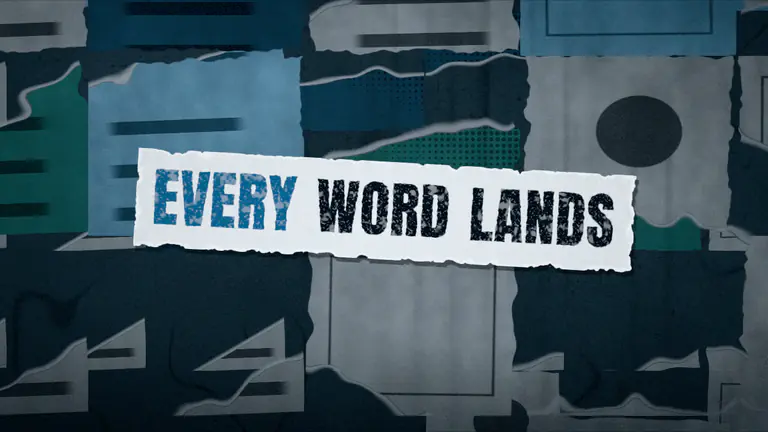
Street Poster·16:9 Paste-up paper, marker type
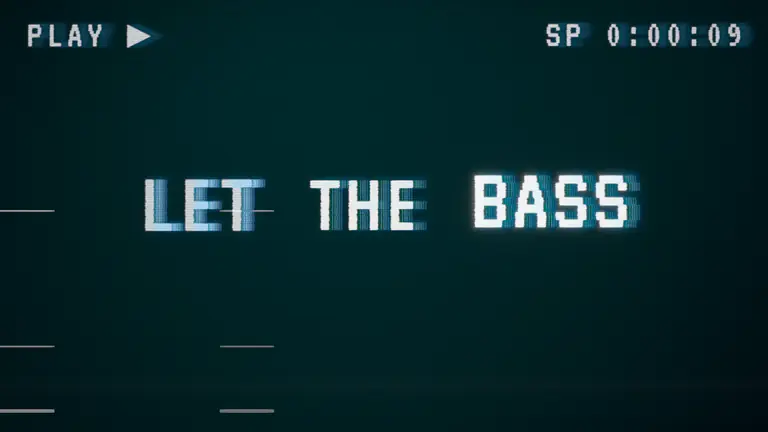
VHS Tape·16:9 Tape grain, a tracking wobble
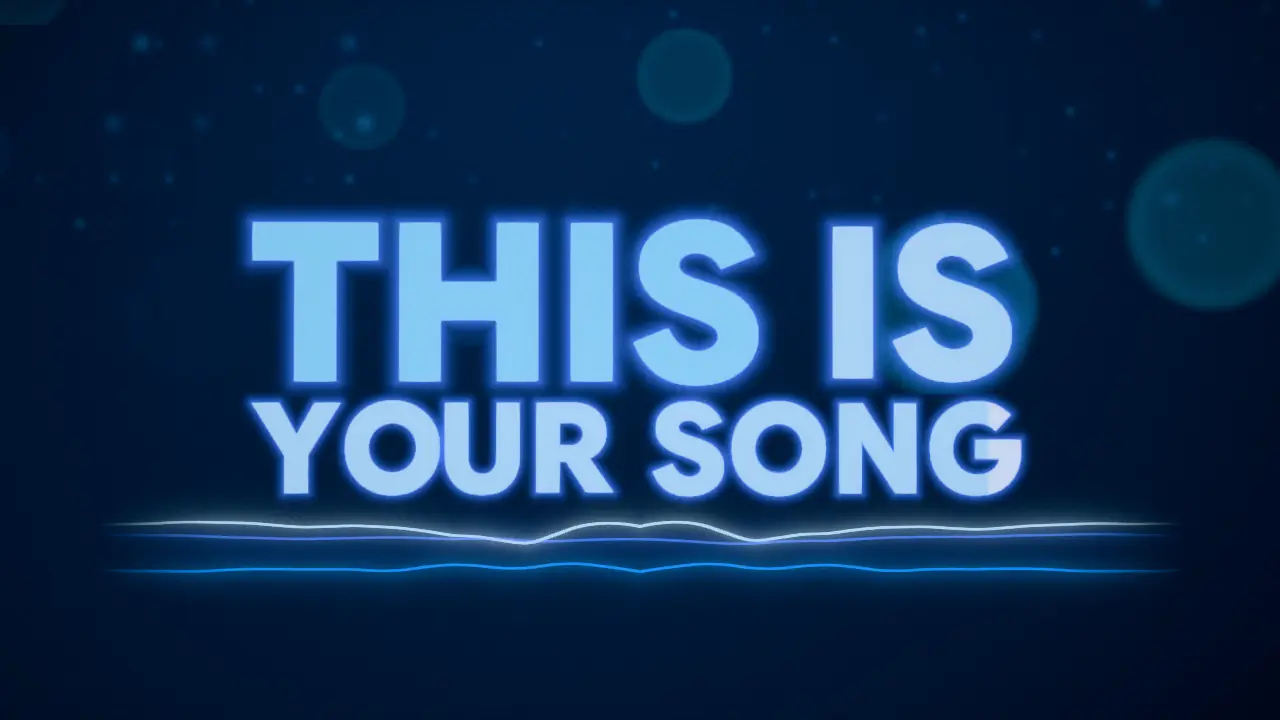
Afterglow·16:9 The default: glowing type, a soft haze
All 12
Afterglow · Karaoke · Neon Sign · Night Drive · Street Poster · Spray Wall · Sketchbook · Chalkboard · Inferno · Smoulder · VHS Tape · Cassette Label
Colours come from your cover by default, or from one of 8 palettes, or your own three.


The lines in these clips are our own test lyrics, timed by hand to one word a beat for the demo. On your song they follow the vocal.
How it times each word.
Timing is the hard part of a lyric video. We align the words you paste to the vocal stem, not to the full mix, and we published what that gets right and wrong.
- Clean up the text. Section labels like [Chorus] are dropped and "(x2)" is written out, so the words match what is sung.
- Align on the vocal stem. A speech-recognition model per language (open weights, MIT or Apache-2.0) lines up every character of your text with the isolated vocal.
- Flag the doubtful lines. A line the model barely hears, and that stands out from its neighbours, gets a "check" badge. The rest is aligned again without it, and the better fit is kept.
- Snap the line, not the words. Each line's start moves to a beat when one is within ±80 ms. Words keep their sung times.
- You fix the rest. Fix timing opens the timeline: drag a line or a word, re-align one line, or tap the lines in as the song plays.
| Word starts, our test | Result |
|---|---|
| Median error | 36 ms |
| 90 % of words within | 101 ms |
| Within 100 ms | 89.6 % |
| Within 300 ms | 98.4 % |
| More than 1 s off | 0.5 % |
In our test on 7 songs from JamendoLyrics MultiLang (4 English, 1 Spanish, 1 German, 1 French; 26.9 minutes, 2,192 words, each word's start annotated by hand). Lyrics pasted exactly as sung, the best case; vocal stem from our own separation step; the aligner the studio runs today. Seven songs rank the approaches; they don't make a guarantee.
When the paste doesn't match
We deleted every 10th line and added a line from another song every 8th. Words more than a second off rose from 0.5 % to as much as 8.9 %. So paste what is sung: every chorus written out, ad-libs in, unsung lines out.
When we write them down
No lyrics to hand? "Write them down for me" drafts them from the song, then the same aligner times them. On the same songs the draft had a word error rate of 0.15: expect to fix about 1 word in 7. The free plan includes 1 transcription a day; pasting is unlimited.
Languages.
Listed the way we measured them. A language we haven't tested on singing says so.
| Language | Word timing | Write them down |
|---|---|---|
| English | Yes · measured | Yes |
| Spanish | Yes · measured | Yes |
| German | Yes · measured | Yes |
| French | Yes · measured | Yes |
| Portuguese | Runs · not yet measured on singing | Yes |
| Ukrainian | Runs · not yet measured on singing | Yes |
| Korean | Runs · not yet measured on singing | Yes |
| Japanese | No word timing yet | Yes, without word timing |
One upload, the shapes a release needs.
The words are laid out again for each shape, not cropped: the 9:16 clip above is the template's own vertical layout.
- YouTube, 16:9Whole song · 1280×720 to 3840×2160
- Reels · Shorts · TikTok, 9:1630 s from the part you pick
- 9:16 sizes720×1280 · 1080×1920
- Custom16:9, 9:16 or 1:1 · 3 s to the whole song · 1:1 at 1080×1080
- Frame rate30 or 60 fps
- FileMP4 · H.264 + AAC · no watermark
- Stills, Unlimited1280×720 thumbnail + 16:9, 9:16, 1:1 PNGs
The YouTube export carries your title card; the vertical clip leaves it off, because the app puts your caption there. Pick the part for the clip: the chorus, the drop, the loudest part, the start, or your own time.
Exports render in your browser tab, frame by frame, joined to the audio. It isn't a screen recording, so a moment looks the same in the preview and in the file. The 4K and 60 fps options appear when your browser's encoder can take them; a recent Chrome or Edge on a laptop or desktop is the safest bet.
YouTube recommends 16:9 on computers and lists 3840 × 2160 down to 1280 × 720 among its sizes (YouTube Help, read 3 October 2026). Shorts can run to three minutes in a vertical or square shape (YouTube Help).
As published, read 3 October 2026
Lyric video tools, compared by kind.
Five ways to get a lyric video. Each column names one example we read on that date, with the source below; prices change, so check the vendor's page.
What makes the picture
Loopwalk
A 3D engine draws each frame from your song's stems. No generated imagery.
- Template editor (Videobolt)A designed template: you change fonts, colours, backgrounds and motion. 500+ lyric templates.
- AI generator (Neural Frames)AI models generate the scenes; the lyrics are written into the generated images.
- CapCut auto lyricsYour own video, with the lyrics laid over it from a lyric template.
- Motion designer (LyricVideo.TV)A person designs it for your song.
How the words are timed
Loopwalk
Paste them (or have them written down); each word is aligned to the vocal stem, doubtful lines flagged.
- Template editor (Videobolt)Paste the lyrics; Sync with AI sets an initial time for each line, then you fine-tune.
- AI generator (Neural Frames)The lyrics are transcribed and you correct them. It says it isn't built for word-by-word karaoke highlighting.
- CapCut auto lyricsPick the song's language and a template; CapCut syncs the lyrics to the video.
- Motion designer (LyricVideo.TV)By hand, by the designer.
What moves with the music
Loopwalk
Kick punches the sung word, the voice lights it, the snare flashes the line, the chorus goes bigger.
- Template editor (Videobolt)Some templates react: waveforms, pulses, particles and lights on the beat.
- AI generator (Neural Frames)The generated animation around your song.
- CapCut auto lyricsWhatever you animate in the edit.
- Motion designer (LyricVideo.TV)Whatever the designer animates.
Price as published
Loopwalk
Free: the full preview, for viewing; no exports. Unlimited $29 a month ($1.95 for the first 7 days).
- Template editor (Videobolt)Pro Unlimited €24.99 a month, billed annually; up to 4K.
- AI generator (Neural Frames)Neural Knight $39 a month, or $26 a month billed yearly.
- CapCut auto lyricsAuto captions include Pro-only parts, checked at export. Pro price varies by region.
- Motion designer (LyricVideo.TV)$199 (5 days), $299 (2 days, with a Canvas), $599+.
The better pick when
Loopwalk
You want type the song's own drums and vocal move, in 16:9 and 9:16 from one upload.
- Template editor (Videobolt)You want a ready-made 2D design from hundreds of lyric templates.
- AI generator (Neural Frames)You want scenes a model generates, more than readable type.
- CapCut auto lyricsYou already edit in CapCut and want lines over your own footage.
- Motion designer (LyricVideo.TV)You want a one-off piece with a person behind it.
| Compared on | Template editor (Videobolt) | AI generator (Neural Frames) | CapCut auto lyrics | Motion designer (LyricVideo.TV) | Loopwalk |
|---|---|---|---|---|---|
| What makes the picture | A designed template: you change fonts, colours, backgrounds and motion. 500+ lyric templates. | AI models generate the scenes; the lyrics are written into the generated images. | Your own video, with the lyrics laid over it from a lyric template. | A person designs it for your song. | A 3D engine draws each frame from your song's stems. No generated imagery. |
| How the words are timed | Paste the lyrics; Sync with AI sets an initial time for each line, then you fine-tune. | The lyrics are transcribed and you correct them. It says it isn't built for word-by-word karaoke highlighting. | Pick the song's language and a template; CapCut syncs the lyrics to the video. | By hand, by the designer. | Paste them (or have them written down); each word is aligned to the vocal stem, doubtful lines flagged. |
| What moves with the music | Some templates react: waveforms, pulses, particles and lights on the beat. | The generated animation around your song. | Whatever you animate in the edit. | Whatever the designer animates. | Kick punches the sung word, the voice lights it, the snare flashes the line, the chorus goes bigger. |
| Price as published | Pro Unlimited €24.99 a month, billed annually; up to 4K. | Neural Knight $39 a month, or $26 a month billed yearly. | Auto captions include Pro-only parts, checked at export. Pro price varies by region. | $199 (5 days), $299 (2 days, with a Canvas), $599+. | Free: the full preview, for viewing; no exports. Unlimited $29 a month ($1.95 for the first 7 days). |
| The better pick when | You want a ready-made 2D design from hundreds of lyric templates. | You want scenes a model generates, more than readable type. | You already edit in CapCut and want lines over your own footage. | You want a one-off piece with a person behind it. | You want type the song's own drums and vocal move, in 16:9 and 9:16 from one upload. |
Sources, read 3 October 2026: Videobolt lyric video maker · Videobolt sync help · Videobolt pricing · Neural Frames lyric video maker · Neural Frames pricing · CapCut lyric video guide · CapCut Pro help · makelyricvideo.com pricing
Or put the same lyrics over any of the other 17 templates.
Time the words once. In Lyric Video they are the picture; in every other template they sit over the scene, line by line or word by word.
Halo · Bars · Tunnel · Helix · Vinyl · Hi-Fi Deck · Synthwave · Feedback · Fluid · Cosmic · Stage · Lofi Room · Scope Lines · 3D Object · Swarm · Room · Light Rain. Eight of them (Cosmic, Feedback, Fluid, Hi-Fi Deck, Lofi Room, Scope Lines, Stage and Synthwave) let you pick the band of the frame the lyrics sit in. A turning record with the words under it is a lyric video too; so is a neon road. Making a visualizer for the same release? The YouTube visualizer page covers the 16:9 upload, and the lyric video guide covers doing it by hand.
Your words, landing when they're sung.
Upload the song, paste the lyrics, and watch the full-quality preview free. The video file comes with Unlimited.
Sources · read
- YouTube video resolution and aspect ratios
- Understand three-minute YouTube Shorts
- Word-timing test: JamendoLyrics MultiLang, our run of 26 September 2026
YouTube is a trademark of Google LLC. TikTok is a trademark of ByteDance Ltd. Instagram is a trademark of Instagram, LLC. Loopwalk is not affiliated with them.