A music visualizer for YouTube, moved by your stems.
Upload the track. Loopwalk splits it into drums, bass, vocals, guitar, piano and the rest, finds the beats, the bars and the chorus, and renders a 16:9 video of the whole song with your title card on it. Sizes run from 1280 × 720 to 3840 × 2160, at 30 or 60 fps.
Preview every look free on your own song. The video file and the YouTube thumbnail come with Unlimited, $29 a month.
Updated 3 October 2026 · YouTube specs read 3 October 2026 · No generated footage

What you get for YouTube.
One file of the whole song in 16:9, at one of YouTube's own 16:9 resolutions. You pick the size and the frame rate; your browser's video encoder decides which of them it can offer.
- Shape16:9
- LengthWhole song · 60 s · 30 s · 8 s · custom
- Sizes720p · 1080p · 1440p · 4K
- Frame rate30 or 60 fps
- FileMP4 · H.264 · AAC audio
- Title cardSong and artist, 7 positions
- WatermarkNone
| Size | Pixels | 24–30 fps | 48–60 fps |
|---|---|---|---|
| 720p | 1280 × 720 | 5 Mbps | 7.5 Mbps |
| 1080p | 1920 × 1080 | 8 Mbps | 12 Mbps |
| 1440p | 2560 × 1440 | 16 Mbps | 24 Mbps |
| 4K | 3840 × 2160 | 35–45 Mbps | 53–68 Mbps |
The video renders in your own browser tab, frame by frame, and is joined to the song's audio. It isn't a screen recording, so a dropped frame on a slow laptop can't end up in the file. The preview and the export come from the same engine, so the moment you watched in the studio is the moment in the file. A progress card shows the time left, and the render keeps going when you switch tabs.
4K at 60 fps needs an encoder that supports H.264 level 5.2. A recent Chrome or Edge on a laptop or desktop is the safest choice; if your browser can't encode a size, the export dialog doesn't offer it.
Sizes: Video resolution & aspect ratios · Bitrates: YouTube recommended upload encoding settings · YouTube Help, read 3 October 2026
It moves with the drums, the bass and the chorus.
Most visualizers read the finished mix, or bass, mid and treble bands, so a kick and a bass note land in the same place. Loopwalk separates the stems first. In the Cosmic render above, each one moves its own part of the scene.
- BassSpins the galaxy's arms and the disk
- KickShock rings through the disk
- SnareBright stars flare
- Hi-hatsThe star field twinkles
- VocalsLight the nebula and the jets
- MelodyDrives the gas
- SectionsPick the shot and the set piece
- DropThe dive toward the black hole
Every template has its own map like this one, and the Music tab sets a strength for each instrument, so you can make the bass lead and the vocals sit back. The audio-reactive visualizer page shows the difference with the drums muted, and lists what each instrument drives in eight templates.
18 templates, 200 styles.
Five of them below, each two bars of the same drop from our demo song. Your cover sets the colours by default; these renders have it off. All 18 are on the templates page, with what drives what in each.
- Real exports
- ·Same song, same bars
- ·Hover or scroll to play

HaloKaleido Star
Kick punches the cover · bass swells the ring · vocals light the halo behind it
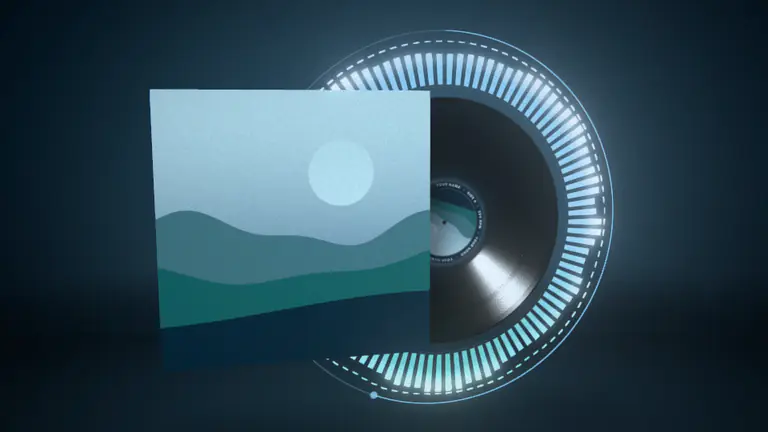
VinylDefault
Kicks thump the platter · bass lights the grooves · the voice lights the label

TunnelSynth Diamond
Kicks push you forward · bass banks and twists it · vocals light the walls
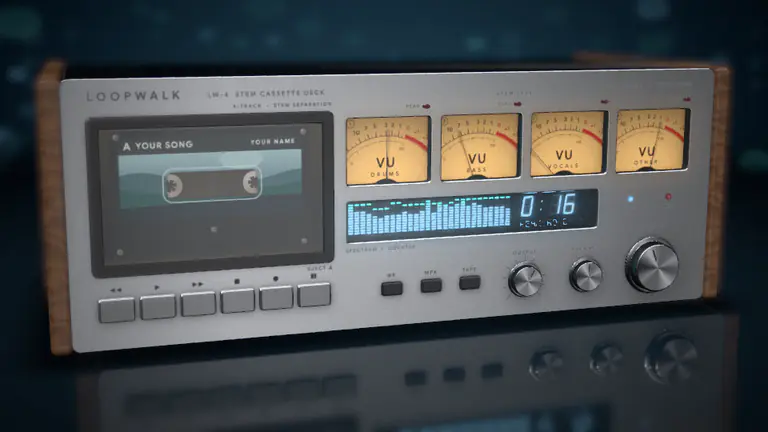
Hi-Fi DeckDefault
Each stem swings its own needle · kicks thump the cabinet · the drop pins the peak lamps
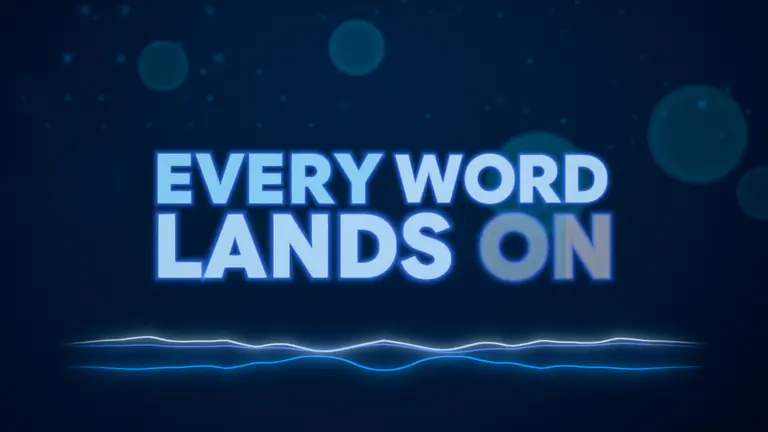
Lyric VideoAfterglow
Kicks punch the word being sung · the voice lights it · the chorus goes bigger


Your title, logo and end card, from the Branding tab.
An upload that reads as yours: the song and artist on screen, your logo in the corner and a card at the end. Set them once and keep them for your next tracks.
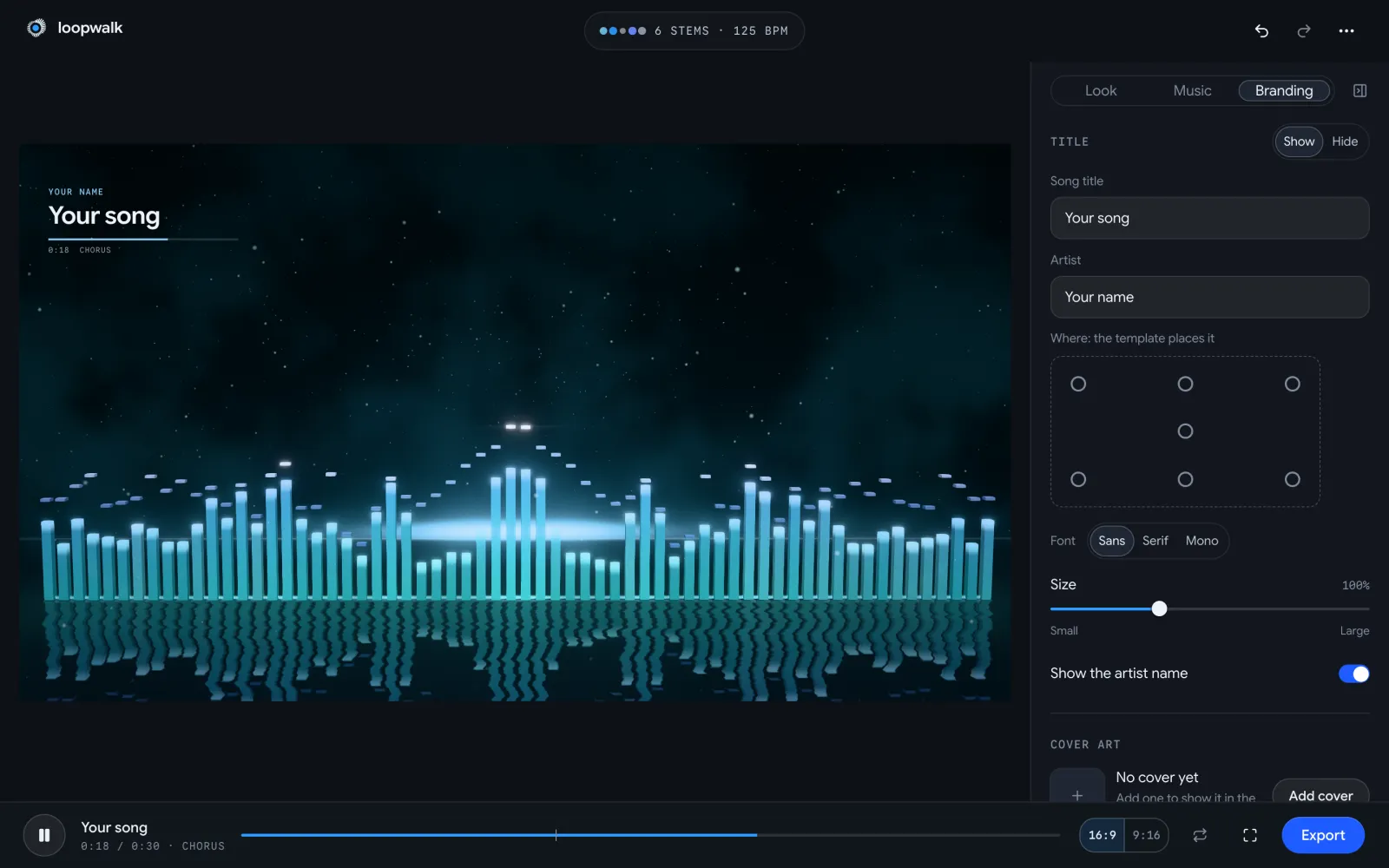
- Title card
- The song title and artist, read from your file's tags or typed in. Seven positions, Sans, Serif or Mono, at 60 to 180 % size, or hidden.
- Logo
- A PNG or SVG keeps its transparency and sits in the corner. Halo, Room and 3D Object can also build it into the scene.
- End card
- A closing card at the end of the video, on or off.
- Background
- Your own image or video behind the template, in place of its backdrop.
- Cover art
- From the file's embedded art or a picture you add: in the scene, by the title, or off. It sets the colours too.
- Lyrics
- Paste them and they're timed to the vocals, over any template. For words as the whole picture, see the lyric video maker.
The thumbnail comes with it.
Any moment of your preview saves as a still with your title on it, sized to YouTube's rules and never watermarked. Stills come with Unlimited, like every export.
- YouTube thumbnail1280 × 720 · with titles
- 16:9 still1920 × 1080
- 9:16 still1080 × 1920
- 1:1 still1080 × 1080
- FilePNG · JPEG above 2 MB
- PlanFree
YouTube's help page asks for a 16:9 JPG or PNG at least 640 px wide, and recommends 3840 × 2160. The size limit depends on where you upload it: 2 MB from a phone, 50 MB from a computer. Our thumbnail is 1280 × 720, twice the minimum width, and a PNG that comes out over 2 MB is saved as a JPEG, so it uploads from either.
Custom thumbnails need a verified YouTube account. The 1920 × 1080 still has no titles, if you'd rather set your own type over it.
Source: Add custom thumbnails on YouTube · YouTube Help, read 3 October 2026
Upload settings for YouTube.
Every line below comes from YouTube's own help pages, read on 3 October 2026. The export already matches them, so there's nothing to convert.
File
YouTube recommends an MP4 with H.264 video and AAC-LC or Opus audio at 48 kHz. · Upload encoding settings
The export is an H.264 MP4 with AAC audio, or Opus where your browser has no AAC encoder. Upload it as it is.
Frame rate
“Content should be encoded and uploaded in the same frame rate it was recorded.” · Upload encoding settings
The video is drawn at the rate you pick, 30 or 60 fps. Don't run it through an editor that changes it.
Size
16:9 is the standard on a computer, at 1280 × 720 up to 3840 × 2160; YouTube asks you not to add black bars or padding. · Resolution & aspect ratios
The file fills the 16:9 frame at one of those four sizes, with no bars.
Length
Up to 15 minutes by default; verified accounts can upload longer videos. The cap is 256 GB or 12 hours. · Upload videos longer than 15 minutes
Loopwalk takes songs up to 20 minutes. If yours runs past 15, verify the channel before you upload.
Title
Titles have a limit of 100 characters. · Edit video settings
“Official Visualizer” is a naming habit labels use, not a YouTube setting. The usual pattern is Artist – Song (Official Visualizer), which also keeps it apart from the music video and the lyric video in search.
Description
Descriptions have a limit of 5,000 characters. Chapters need a first timestamp of 00:00, at least three timestamps, and 10 seconds or more each. · Edit video settings
Put the credits and the links first. A single song rarely needs chapters; an EP or a mix uploaded as one video does. A starting point:
Artist – Song (Official Visualizer)
Listen everywhere: <your smart link>

Written by … · Produced by … · Mixed and mastered by …
Cover art by … · Visualizer made with Loopwalk

℗ 2026 <label or artist>
Chapters: Video Chapters
Thumbnail
16:9, at least 640 px wide; 2 MB from a phone, 50 MB from a computer. · Add custom thumbnails
Use the free 1280 × 720 still with your title on it.
Start free. Unlimited is $29 a month, $1.95 for the first week.
Free is the full-quality preview on your own song, with the stems, plus the stills. It exports no video file. The YouTube video, in every size up to 4K at 60 fps, comes with Unlimited, and the launch offer makes the first 7 days $1.95.
- Monthly
- No credits
- Unlimited exports
Free
$0
Every file comes with Unlimited
- Every look and setting, on your own track
- The full-quality preview, stems and all
- For viewing and personal use
- 3 new songs a day, kept 30 days after you last open them
Unlimited
$29$1.95first 7 days
Then $29 a month · cancel before day 7, pay nothing more
- Unlimited exports: video, the release pack, stills
- YouTube, Canvas and Reels in one go
- Up to 4K at 60 fps, no watermark
- Commercial use
- Fair use: 50 new tracks a month
Monthly price shown · No credits · Checkout opens soon: pick a paid plan to keep founder pricing for 12 months
Four ways to get a YouTube visualizer.
Prices as each one publishes them, read on 3 October 2026. Each has a case where it's the better pick.
Price, as published
Loopwalk
$29 a month, unlimited exports, up to 4K at 60 fps. $1.95 for the first 7 days.
- A template toolVideobolt Pro: €34.99 a month, or €24.99 a month billed yearly, up to 4K at 60 fps. Specterr: one video for $14.99 (720p) to $29.99 (4K).
- AI music videoNeural Frames: $39, $99 or $299 a month, or $26, $66 or $199 billed yearly, paid in credits. 4K from the $66 plan.
- A freelancerFiverr music-visualizer gigs start from $5 for a 2D spectrum to $60 for a 3D scene.
What moves the picture
Loopwalk
Six stems, plus kick, snare and hi-hat hits, notes, bars and sections
- A template toolA designer's template, with your text, cover and audio in its fields
- AI music videoGenerated footage from prompts; stem extraction and audio-reactive effects are on its plans
- A freelancerWhatever they design and animate
What you do
Loopwalk
Upload, pick a template and a style, export
- A template toolPick a template, fill it in, render
- AI music videoWrite prompts, spend credits, redo the shots you don't like
- A freelancerWrite a brief, wait for delivery, ask for changes
Other shapes
Loopwalk
Canvas, Reels and square from the same project
- A template toolVertical and square versions of many templates
- AI music videoHorizontal-to-vertical conversion
- A freelancerAgreed per gig
The better pick when
Loopwalk
You want the picture to follow the drums, the bass and the chorus
- A template toolYou want a designed stock look, or one video without a subscription
- AI music videoYou want generated scenes, characters or a story
- A freelancerYou want a look made by hand for this one release
| Compared on | A template tool | AI music video | A freelancer | Loopwalk |
|---|---|---|---|---|
| Price, as published | Videobolt Pro: €34.99 a month, or €24.99 a month billed yearly, up to 4K at 60 fps. Specterr: one video for $14.99 (720p) to $29.99 (4K). | Neural Frames: $39, $99 or $299 a month, or $26, $66 or $199 billed yearly, paid in credits. 4K from the $66 plan. | Fiverr music-visualizer gigs start from $5 for a 2D spectrum to $60 for a 3D scene. | $29 a month, unlimited exports, up to 4K at 60 fps. $1.95 for the first 7 days. |
| What moves the picture | A designer's template, with your text, cover and audio in its fields | Generated footage from prompts; stem extraction and audio-reactive effects are on its plans | Whatever they design and animate | Six stems, plus kick, snare and hi-hat hits, notes, bars and sections |
| What you do | Pick a template, fill it in, render | Write prompts, spend credits, redo the shots you don't like | Write a brief, wait for delivery, ask for changes | Upload, pick a template and a style, export |
| Other shapes | Vertical and square versions of many templates | Horizontal-to-vertical conversion | Agreed per gig | Canvas, Reels and square from the same project |
| The better pick when | You want a designed stock look, or one video without a subscription | You want generated scenes, characters or a story | You want a look made by hand for this one release | You want the picture to follow the drums, the bass and the chorus |
Sources, read 3 October 2026: Videobolt pricing (euro prices as shown to us) · Specterr pricing · Neural Frames pricing · Fiverr gigs from $5 and at $60. Prices change; check each page before you pay.
Before you upload.
YouTube is where a visualizer lives. Spotify's full-length video upload says “visualizers, lyric videos … are not currently supported” (Spotify for Artists, read 3 October 2026), so on Spotify the moving picture is a Canvas: check yours with the free Canvas size checker.
Your next single, as a YouTube visualizer.
Upload the track and watch it play in any of the templates, at full quality, with the stems. Export the video and the thumbnail with Unlimited.
Sources · read 3 October 2026
- YouTube recommended upload encoding settings
- Video resolution & aspect ratios
- Add custom thumbnails on YouTube
- Upload videos longer than 15 minutes
- Edit video settings
- Video Chapters
YouTube is a trademark of Google LLC. Spotify is a trademark of Spotify AB. Instagram is a trademark of Meta Platforms, Inc. Loopwalk is not affiliated with them.